Digital Essentials for Korea: Apps, eSIM, Wi-Fi, and Connectivity
A short setup checklist for Korea — the local map and translation apps that actually work, and how to think about eSIM and connectivity before you land.
A little setup before you land saves a lot of friction once you arrive. This is a short, honest checklist — not a broad technology review or a ranked list of every app that exists.
Navigation and translation apps
The single most useful thing to know in advance: Google Maps has limited turn-by-turn navigation within Korea — walking, driving, and transit directions are often unreliable or unavailable. Naver Map is the standard local replacement and fills this gap; it is genuinely worth installing before your trip, alongside a translation app for menus and signs. Once installed, spend five minutes finding your accommodation and one or two planned destinations on a local map app before you land, so you are not learning the interface for the first time when you actually need it.
Connectivity: eSIM or physical SIM
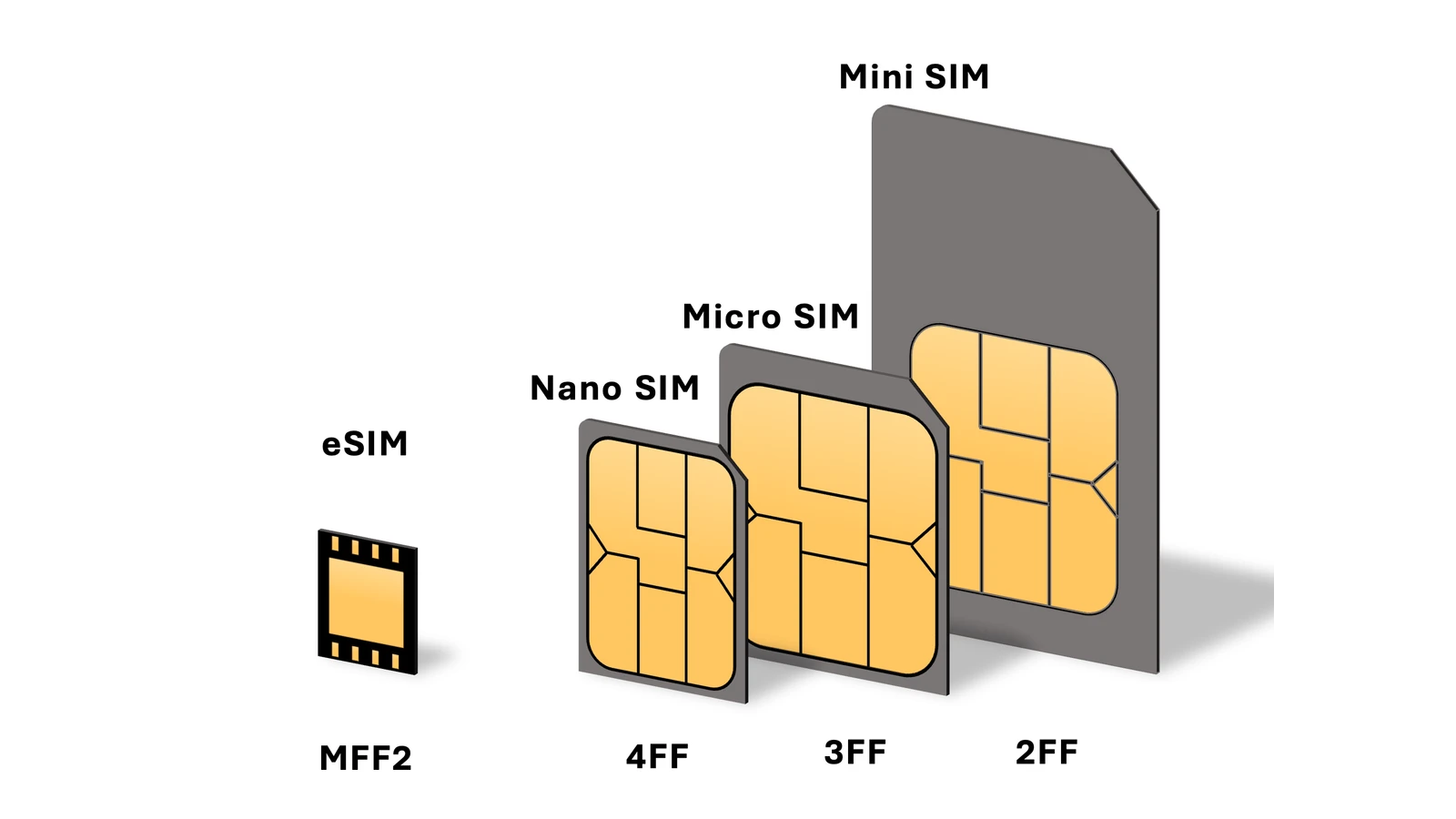
For most modern phones, an eSIM is the simpler option — you can buy and activate it before you even board your flight, or as soon as you land using airport Wi-Fi, without visiting a counter. A physical SIM card remains the practical fallback if your phone does not support eSIM, and can be picked up at counters in the arrivals area or convenience stores near the airport. Either way, having data working from the moment you land makes the map and translation apps above actually usable.
Public Wi-Fi, briefly
Free public Wi-Fi is common in cafes, some transit stations, and many public facilities, but it is inconsistent enough that it should be treated as a supplement to your own data plan, not a replacement for it — especially for navigation, which you will often need on the move rather than in a cafe.
A short setup checklist
Before you land: install a local map app and a translation app, decide between eSIM and physical SIM and arrange it in advance if you are going the eSIM route, and confirm your accommodation’s address in the local map app so you are not searching for it cold on arrival. That is genuinely most of what matters — everything else is a nice-to-have once the basics are working.
Sources
- Naver Map Korea: Why Google Fails & How to Navigate — Korea Insider (accessed )
- Buying a SIM Card or eSIM for Travel in South Korea — What's Dave Doing (accessed )
- Foreign tourists prefer domestic apps like Naver Map for visits — Korea.net (Republic of Korea government portal, Ministry of Culture, Sports and Tourism / Korea Tourism Organization) (accessed )